Leave, shifts, overtime: all by the book.

From annual leave accrual to the night premium, from the 270-hour overtime cap to mobile GPS check-in — seniority, age, weekly rest and public holidays are built into the code. The system blocks unlawful leave, overtime or balances right from the start.

Ready-made leave types13 + custom
Shift types4
Overtime cap270 hrs / yr
Legislation4857 · 5510 · 7578
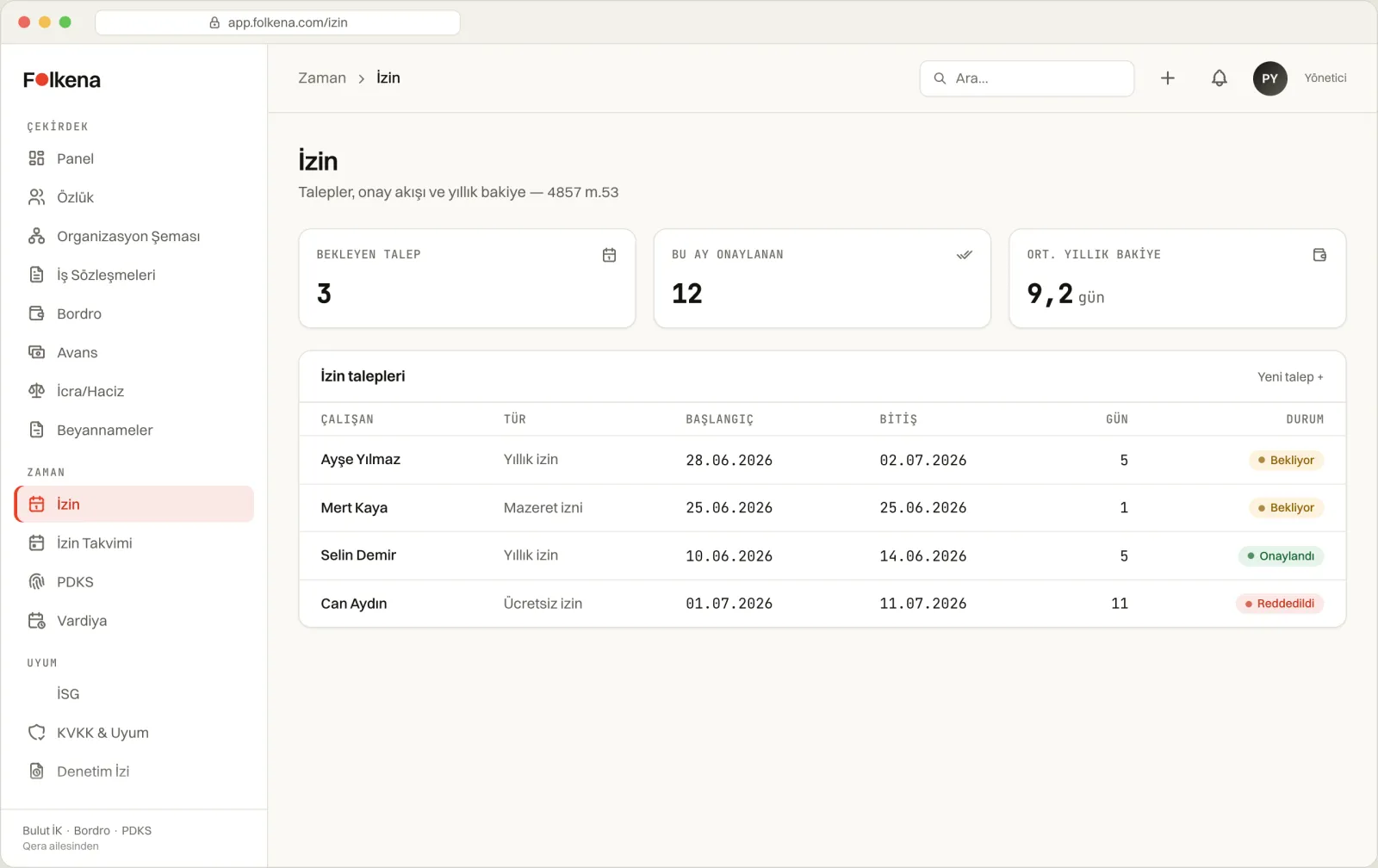
Folkena leave calendar and approval queue
Leave calendar & approval queue · with balance and overlap checks
01 Leave types 02 Accrual & balance 03 Carryover & dashboard 04 Request & approval 05 Public holidays 06 Shifts 07 Timesheet engine 08 Time & Attendance
01

Leave types

The 13 leave types defined in the Labour Law come ready with day counts, pay status and document requirements; each tenant adds its own custom types without limit. Every type's legal reference is baked into the code.

  • Annual leave — 14/20/26 days by seniority; entitlement begins once one year is completed.Art. 53
  • Sick leave — documented with an SGK medical report; the first 2 days are not covered by Social Security (SGK).Art. 25/I · SGK
  • Maternity leave — 24 weeks: 8 weeks before and 16 weeks after birth, +2 weeks for multiple pregnancies.Art. 74 · Law 7578
  • Paternity leave — 5→10 working days in the private sector; aligned with the public sector.Art. 55 · Law 7578
  • Foster parent leave — 10 days of unpaid leave for employees who are foster parents.Law 7578
  • Marriage leave — 3 working days of paid leave for an employee who marries.Art. 55/I-a
  • Bereavement leave — 3 working days on the death of a parent, spouse, sibling or child.Art. 55/I-a
  • Nursing leave — 1.5 hours per day until the child turns 1; tracked by the hour.Art. 74/VII
  • Excuse leave — short-term, e.g. hospital visits or official errands; a reason is mandatory.
  • Unpaid leave — by mutual agreement; the balance is not reduced (entitlement is preserved).
  • Military service leave — unpaid leave for compulsory military service or manoeuvres.Art. 31
  • Disabled dependant care leave — 10 working days per year to accompany the treatment of a child with at least 70% disability; a board report is required.Art. 55/I-c
Unlimited custom types · UPPER_SNAKE key

Alongside the ready-made types, you can add leave types specific to your company (e.g. CUSTOM_TRAINING): name, category (statutory/paid/unpaid), default days, whether it is paid, document/reason requirements and a legal reference. Preset keys are reserved — custom types cannot clash with them; deletion is a soft-delete, so the audit trail is kept.

02

Accrual & balance engine

Annual leave entitlement is calculated by seniority and age in a single pure function; the day count excludes weekends and public holidays. Accrual does not begin before one year is completed.

Less than 1 year of service0 days
1–5 years of service14 days
5–15 years of service20 days
15 years and over26 days
Under 18 or over 50minimum 20 days
Legal basisArt. 53 / Art. 53/IV
  • Working-day calculation — when counting days between two dates, weekends and public holidays are deducted automatically; weekends can optionally be included.
  • Age exception — age is derived from the date of birth; employees under 18 or over 50 are entitled to at least 20 days regardless of seniority.Art. 53/IV
  • Monthly accrual — the annual entitlement can be divided by 12 and tracked as a monthly accrual.
  • Days used — totalled only from approved annual leave records; remaining = entitled − used.
  • Bulk renewal — the balances of all active employees are recalculated annually in a single call.
03

Year-end carryover & balance dashboard

Unused annual leave carries over to the following year; a carryover cap can be set by company policy. The manager dashboard shows every employee's balance in a single table with risk alerts.

Carryover engine

Year-end carryover

Leave remaining from the previous year is added to the new year's accrual; missing balance rows are created in bulk.

  • Carryover right is preservedArt. 56
  • Cap via the maxCarryoverDays policy
  • Atomic bulk creation, no duplicate records
Risk dashboard

3 alert types

Shows managers risky balances alongside the days left until year-end.

  • HIGH_BALANCE — high balance close to year-end
  • NEGATIVE — used has exceeded entitled
  • NO_RECORD — no balance row
Planning output

Cron + CSV

A balance sync runs at the start of the year; export is ready for audit and planning.

  • Start-of-year sync + audit log
  • UTF-8 CSV with BOM (employee no., entitled, used, remaining)
  • Adjustable threshold (default 10 days)
04

Request & approval flow

A single validation pipeline: overlap, balance, reservation and authorisation checks run through a shared util used by both leave.routes and the portal — both paths apply the same rules.

  • Overlap check — a request is rejected if its date range intersects a pending or approved leave for the same employee; the end date cannot precede the start date.
  • Balance + PENDING reservation — pending requests count as reservations: remaining = entitled − used − pending days; multiple pending requests cannot exceed the balance in total.
  • Owner check — an employee cannot approve their own leave request (a guard against horizontal privilege escalation).
  • Atomic double-approval guard — a conditional claim prevents two concurrent approvals from racing; the balance deduction is processed in the same transaction as the approval.
  • Rejecting approved leave — if an already-approved leave is rejected, the deducted balance is automatically restored.
  • Multi-level approval — a 1–10 level approval chain can be defined.
  • Self-service — an employee can only create a request on their own behalf; the status is communicated by email.
Unpaid leave exception

Unpaid leave (UNPAID) does not reduce the balance — entitlement is preserved. The balance check runs only for entitlement-consuming types; if a balance row is undefined, the check is at worst skipped — the request is not silently blocked.

05

Public holiday management

The holiday calendar is kept both platform-wide and tenant-specific; it is taken into account automatically in day calculations and the timesheet breakdown.

Holiday types

4 categories + half day

All holiday records are defined by date, name and type; a half day can be flagged.

  • OFFICIAL (national) · RELIGIOUS (religious)
  • LOCAL (regional) · COMPANY (administrative)
  • Half-day support, country code (default TR)
Scope

Global + tenant

Global holidays apply to all tenants; only the platform administrator can edit them.

  • Global (tenantId=null) → only PLATFORM_ADMIN
  • Tenant-specific holidays are managed by HR
  • Automatically tied to leave day counts + the 100% timesheet premium
06

Shift management

Day, night, rotating and flexible shifts are defined with start/end/break and a night premium rate; they are scheduled through assignment, bulk assignment and rotation.

Shift typesDAY · NIGHT · ROTATING · FLEX
Definition fieldsstart · end · break min.
Night premium rate (nightPremiumRate)0 – 2.0
Bulk assignment (single call)500 rows
Rotation patternWEEKLY · DAILY
  • Assignment (one shift per employee-day) — an employee is assigned only one shift per day; double assignment is blocked.
  • Bulk assignment — up to 500 assignments in a single transaction; existing records are skipped atomically (race-safe).
  • Rotation — employee list × shift list, distributed automatically in a weekly or daily pattern.
  • Shift calendar — assignment, timesheet and public holiday are merged into a single daily view.
  • Safe deletion — if an assigned shift is to be deleted, it is soft-deleted (isActive=false), so data is not lost.
07

Timesheet engine

From clock-in/clock-out times, normal / overtime / night / holiday minutes are broken down automatically. A pure, deterministic engine — legal constants and premium rates are baked into the code; overnight roll-over is calculated correctly.

Normal daily working time450 min (7.5 hours)
Daily upper limit660 min (11 hours)
Night band20:00 – 06:00
Normal weekly working time45 hours
Annual overtime cap270 hours (hard)
  • Overtime +50% — the portion above 45 hours per week is paid at a premium; the daily 7.5-hour overrun is finalised via the weekly aggregate.Art. 41
  • Weekly rest / public holiday +100% — all work on these days is processed as a separate item at a 100% premium.Art. 46-47
  • Night work max 7.5 hours — the 20:00–06:00 band is monitored; a legal warning is raised on overrun.Art. 69
  • 11-hour daily limit — overruns are logged as an administrative fine risk (they do not automatically trigger +100%).Art. 63
  • Statutory break — a minimum of 15 min up to 4 hours, 30 min for 4–7.5 hours, and 60 min over 7.5 hours is recommended.Art. 68
  • 270-hour hard cap — a record containing overtime is not accepted if it would push the annual total above 270 hours; this is also checked on PATCH, counting pending overtime.Art. 41/VIII
Live preview · bulk entry · calculation from shifts

When times and dates are entered, the full breakdown is previewed live without writing to the DB; the same shift/date can be entered in bulk for 500 employees in a single call; from an employee's shift assignment, worked minutes and overtime are calculated automatically. An overnight shift (e.g. 22:00→06:00) is measured correctly by adding the hour roll-over.

08

Mobile & biometric Time & Attendance

Mobile check-in with a GPS geo-fence, biometric device CSV import and an offline-resilient queue — distance is computed on the server, and KVKK (Turkey's data protection law) boundaries are built into the code.
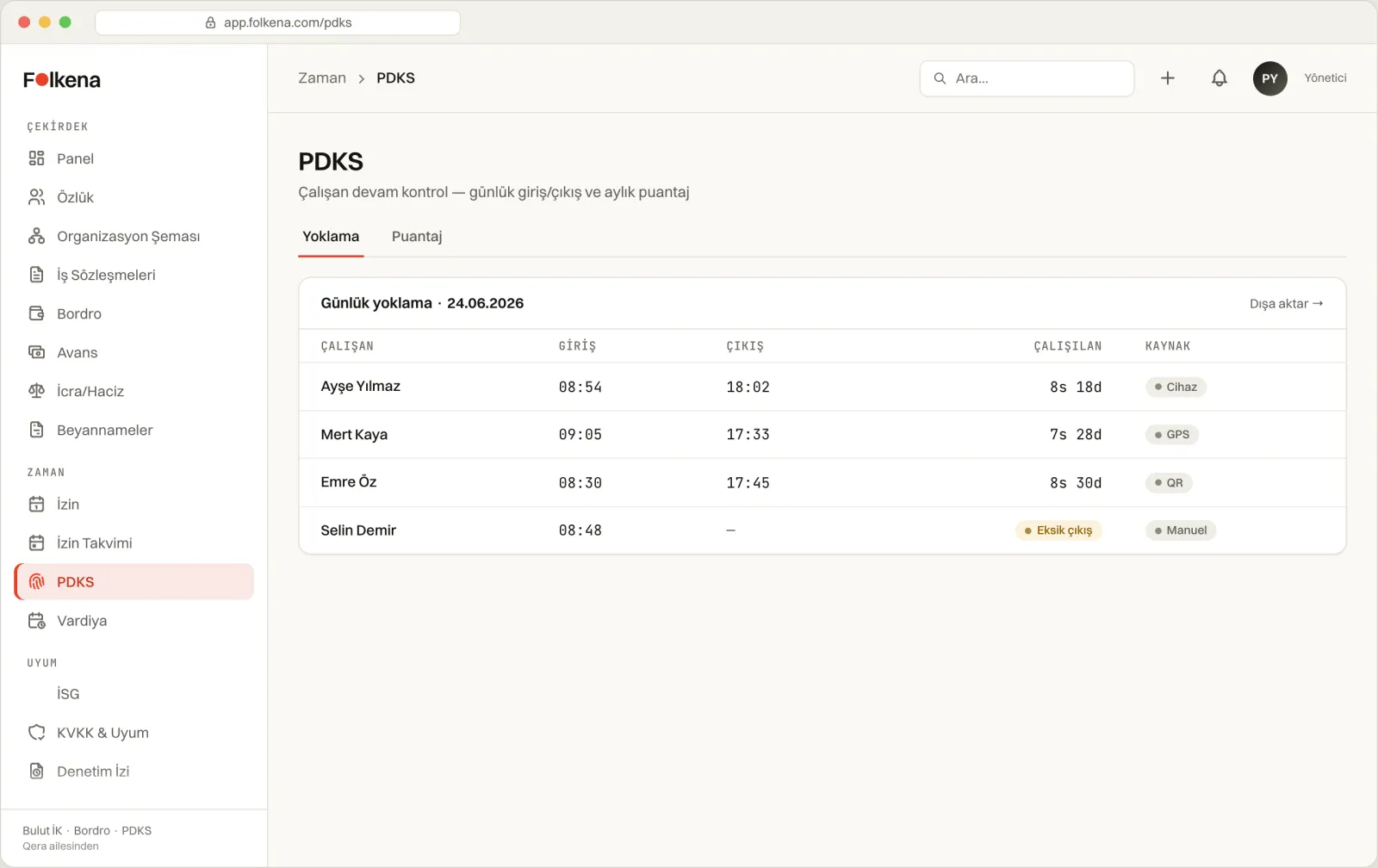
Folkena Time & Attendance — geo-fence map and today's check-ins
Location-verified clock-in/clock-out · inside/outside the geo-fence, IP is not logged
Mobile check-in

GPS geo-fence

Location is verified on the server with Haversine against the workplace centre + radius.

  • Default radius 100 m, withinGeofence flag
  • Methods: GPS · QR · face recognition · manual
  • GPS spoof detection (low accuracy → suspicious flag)
Resilience & KVKK

Offline queue · data minimisation

Records are not lost even if connectivity drops in the field; the server keeps personal data to a minimum.

  • Offline queue is idempotent (clientId without duplicates)
  • IP is NEVER logged; device trace is minimal (UA + platform)
  • A suspicious record is not rejected — it is reported to the manager
  • Biometric device CSV import — logs from ZKTeco, Hikvision, Anviz, Perco and other devices are imported via CSV; matched to employees by national ID or employee number, with duplicate records skipped.
  • Device definition — the door/device list is kept in the tenant settings; imports are written to the audit log.
An honest boundary

Automatic data pull from hardware Time & Attendance devices is still at the skeleton stage. What is sellable and genuinely working today: mobile GPS/QR/face check-in and biometric device CSV import. "Face recognition" happens on the device itself; the server only records which method was used — biometric data (face/fingerprint) stays on the device.

Let leave and overtime run by law, not by interpretation.

In the demo, let's run a week of timesheets on your own shift pattern — overtime, night premium and holiday premium, seen with your own eyes.